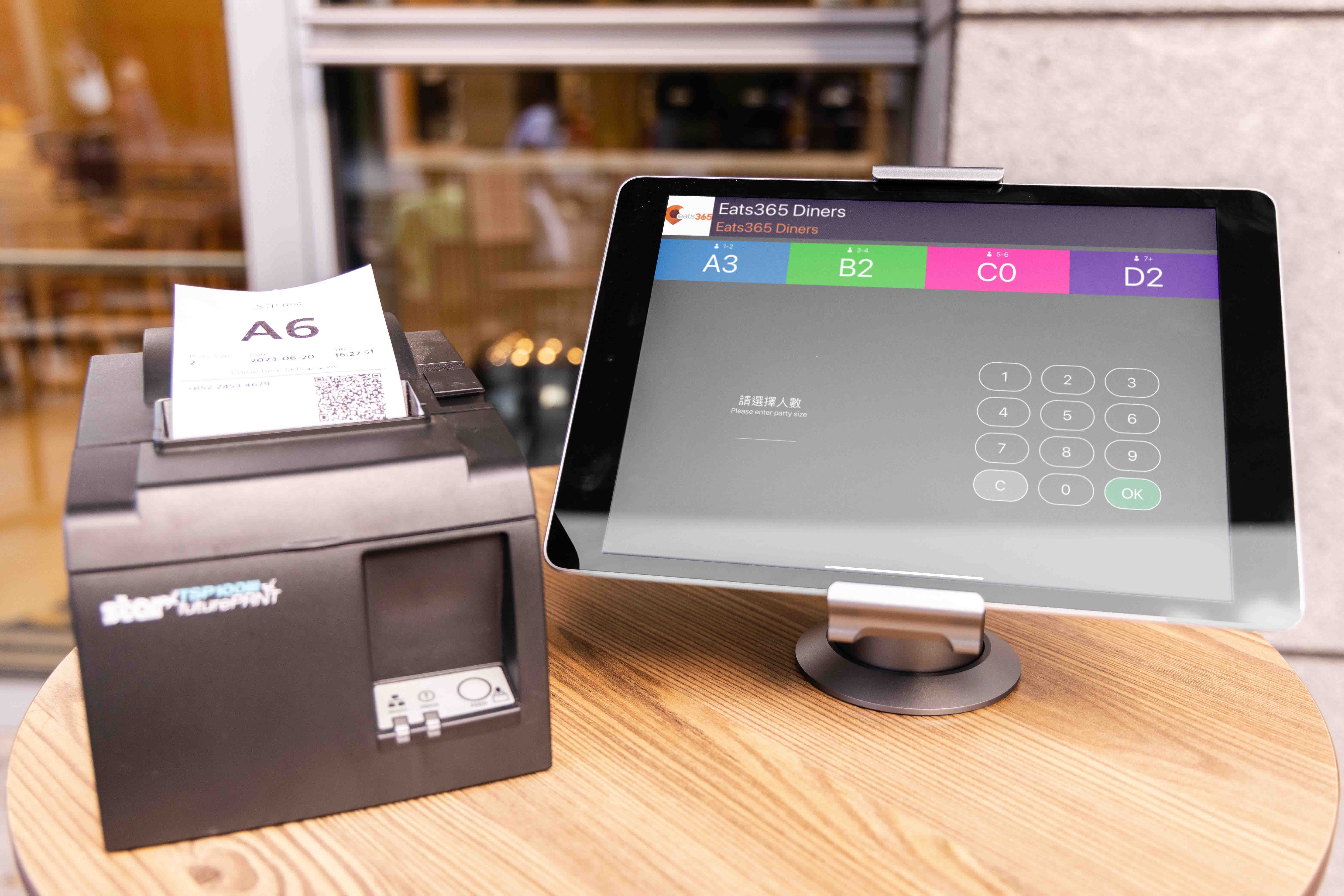

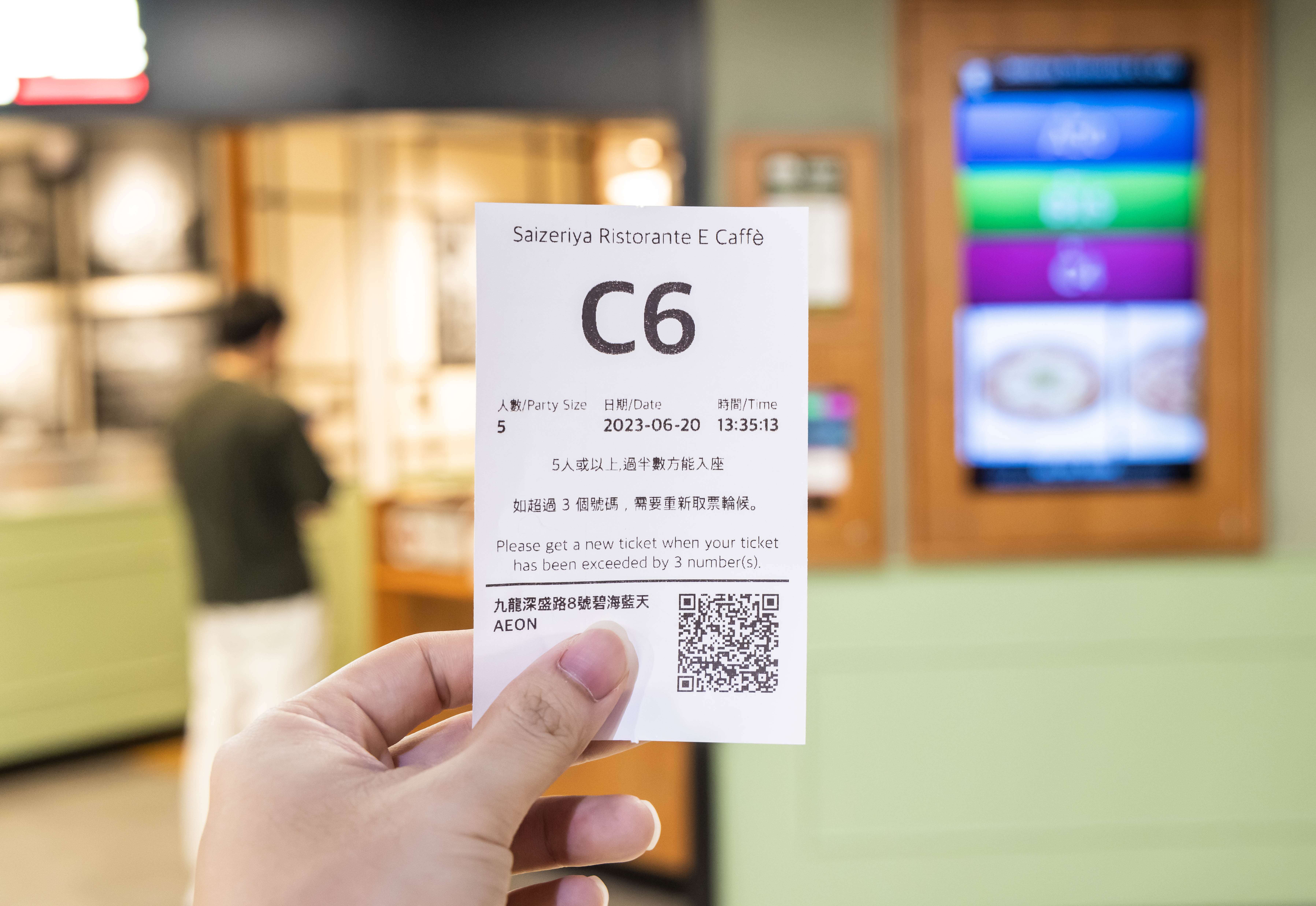
每张排队票都印有可扫描的 QR code。顾客可直接使用手机扫码,就算不在现场排队,也能立刻知道排队状况,还给餐厅一个不拥挤的门面,不再让人龙劝退潜在新顾客。
自助排队机
快速消化排队人潮,务求客似云来

餐厅外的排队人潮代表着生意兴隆,但也显示出欠缺有效的管理方式,容易让潜在顾客却步。iPad 或 Android自助排队机协助管理排队状况,快速安排顾客入座,解决明明有空台却让顾客等候的窘境。
「自助排队机」能如何帮助您管理门外人才
于最合您需要的硬件之上发挥同样强大的功能
iPad
Android
iPad 自助排队机
不论您是餐厅是空间有限的小店或拥有多个楼层,您可以利用「iPad 自助排队机」以最少空间管理您餐厅的人才。即使未来您需要重新装潢您的餐厅,您也可以随时新增、移除或升级如iPad架及排队票打印机等相关硬件,让您的「iPad 自助排队机」能配合您餐厅的新形象!
Android 自助排队机
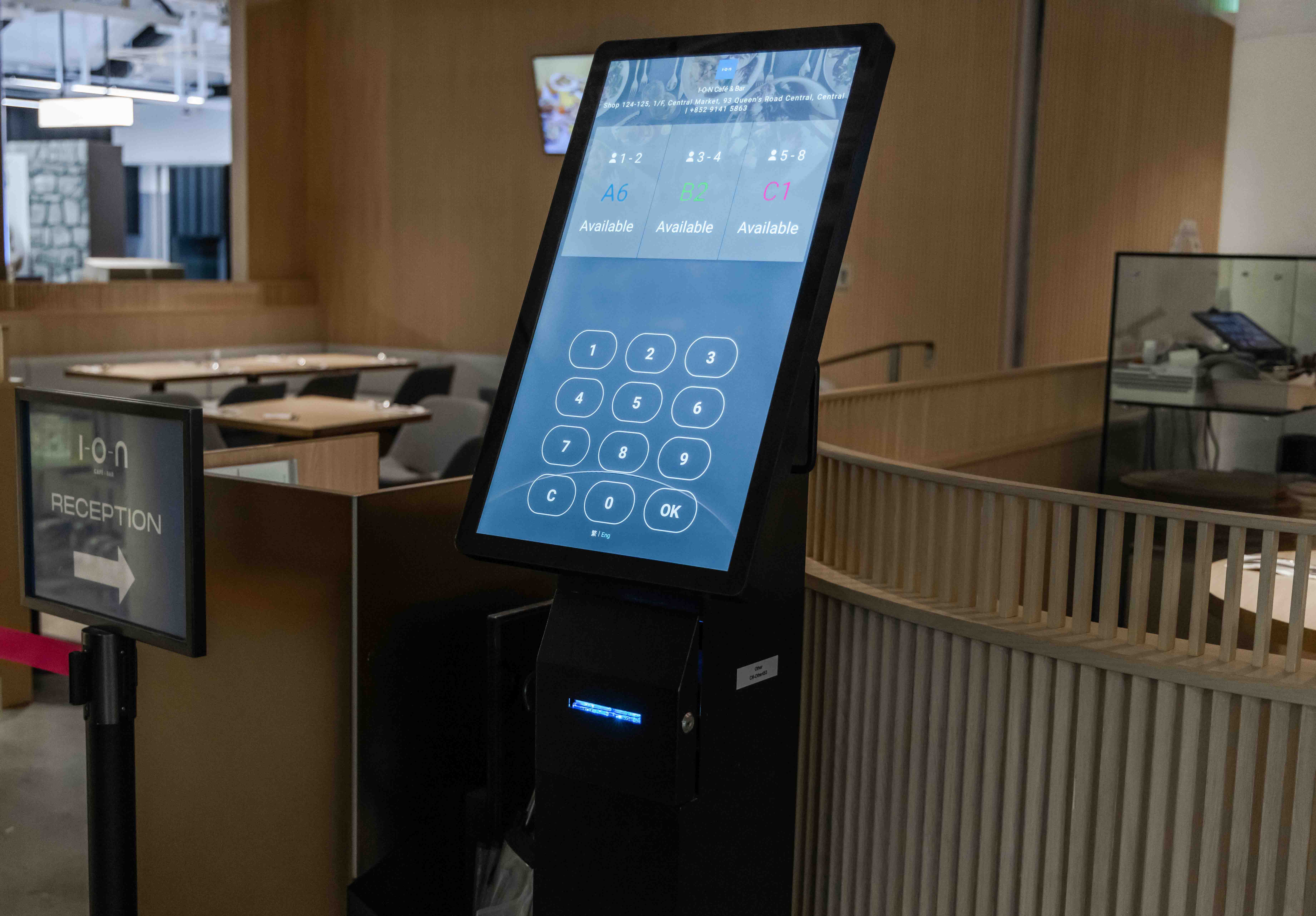
「Android 自助排队机」把所有您需要有效管理餐厅人才的功能汇聚到一个装置之上。「Android 自助排队机」配备大型触控屏幕、打印机及轮侯状况显示,您的顾客可於一个台排队机之上取票并得知最新轮侯状况。
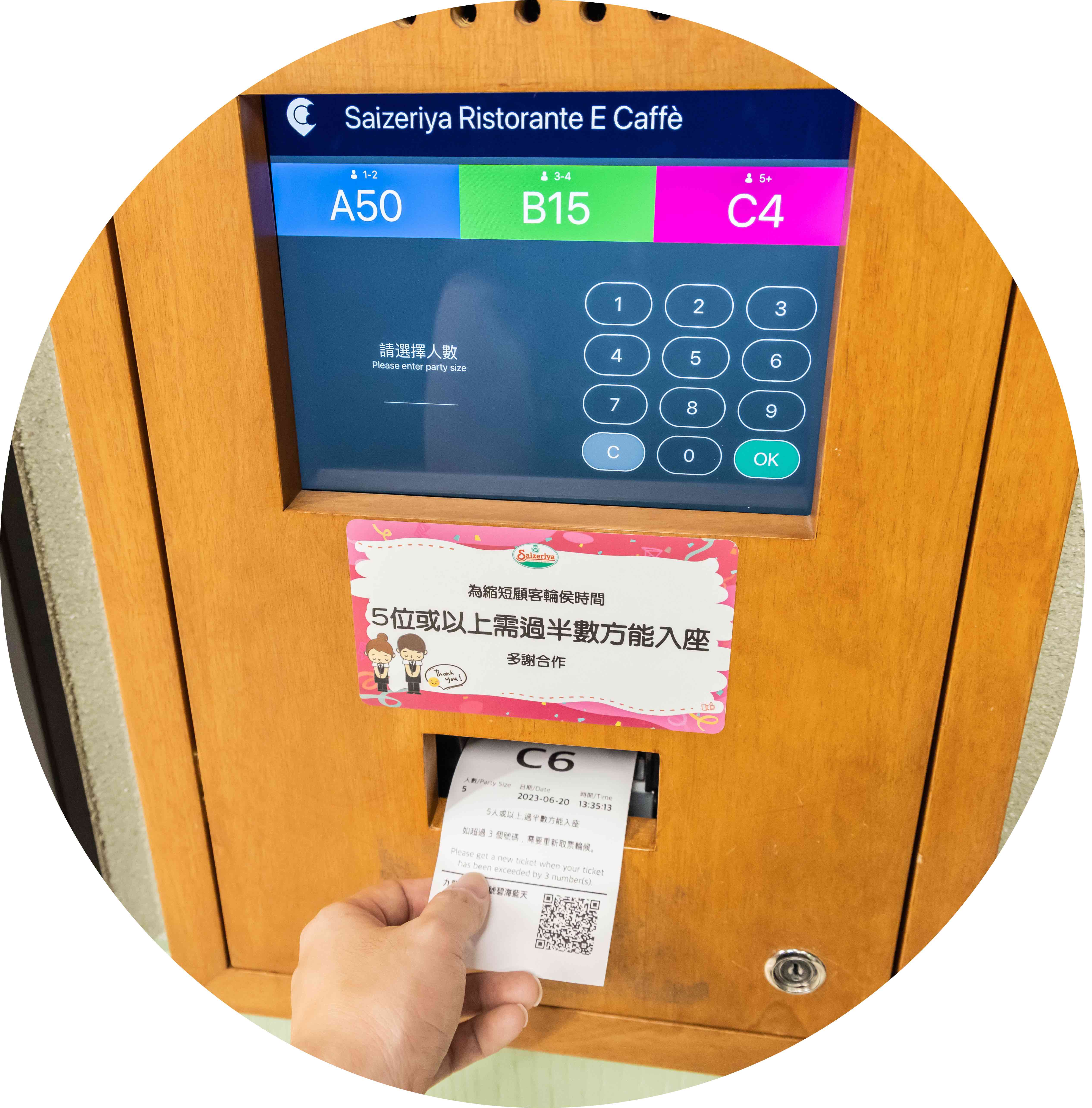
崭新数码化排队体验
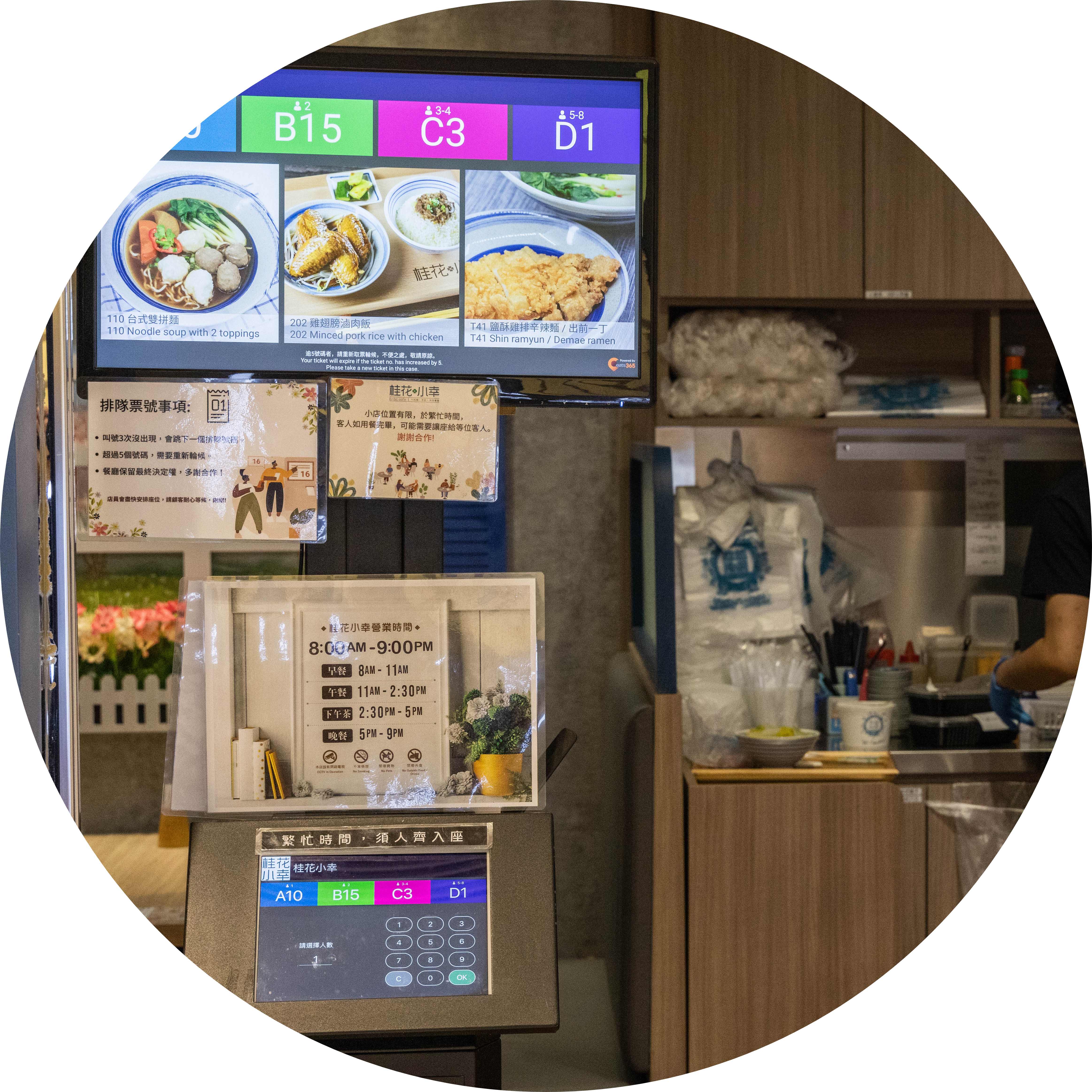
解决员工与顾客之间的沟通不良
光是让员工在门外喊叫排队号码就是一种不良沟通。使用「自助排队机」,顾客可以清楚知道排队叫号,不再需要因为叫号哭破喉咙,也不再让顾客错过叫号。
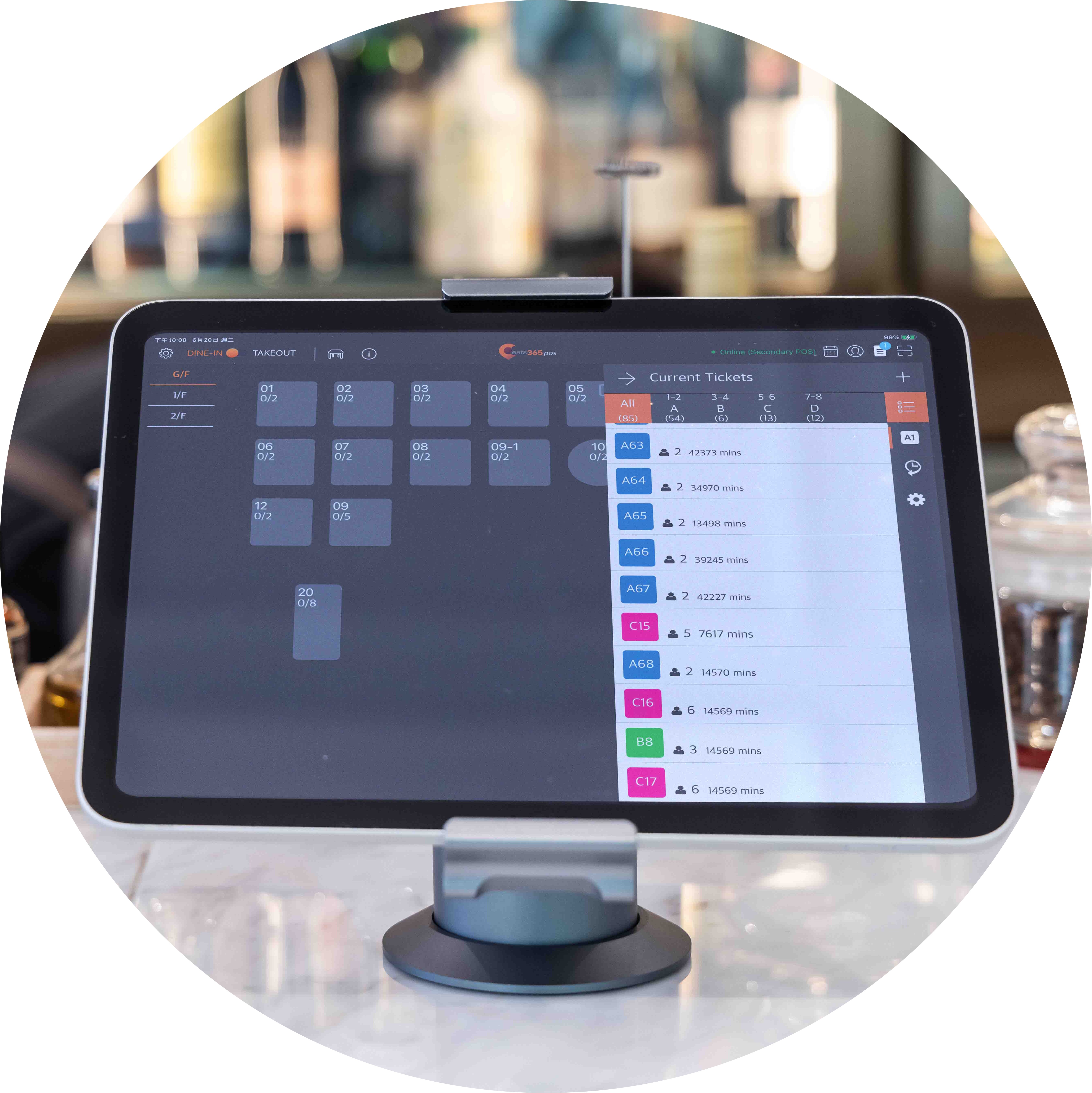
根据用餐人数自订排队票
每间餐厅都有自己的餐台配置,并会根据用餐人数安排座位。您的餐厅是否有根据不同用餐人数提供不同的餐台大小?「自助排队机」会根据排队顾客用餐人数发放不一样的排队票,让员工轻松带位。
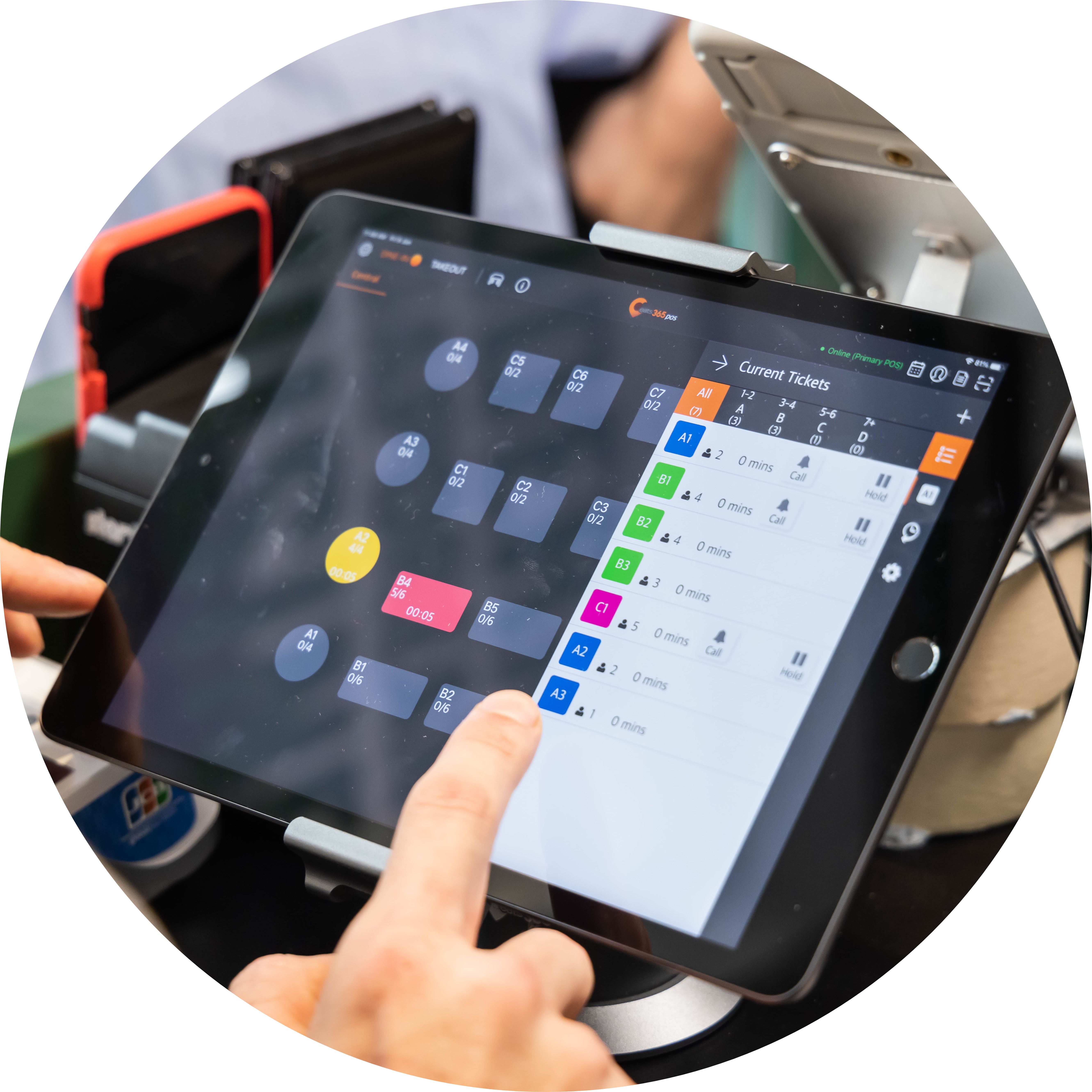
入座带位不再手忙脚乱
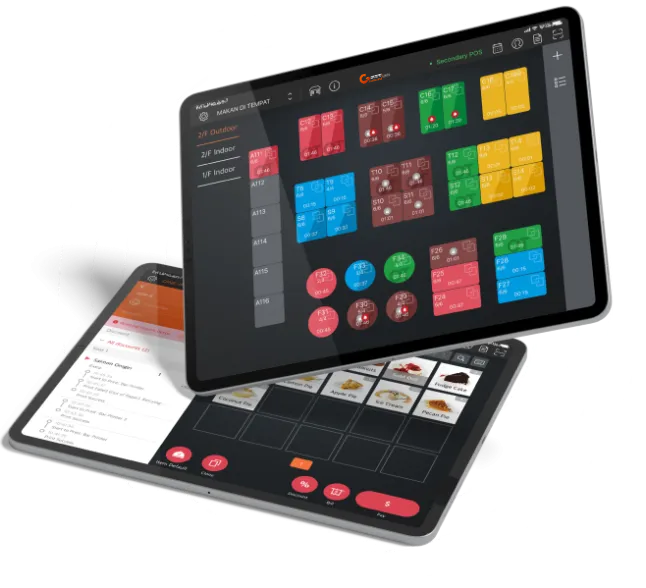
为顾客妥善安排座位对员工来说不是一件简单的事情。在「吃饱宝 POS」直接浏览餐台状况,并邀请等候顾客入座。员工清楚掌握整体餐台状况时,不仅可以加快翻台率,更能确保各个座位在入座前都已经整理过并准备好,并根据餐台大小迎接最适合的用餐顾客。
「自助排队机」重要功能
自助取票
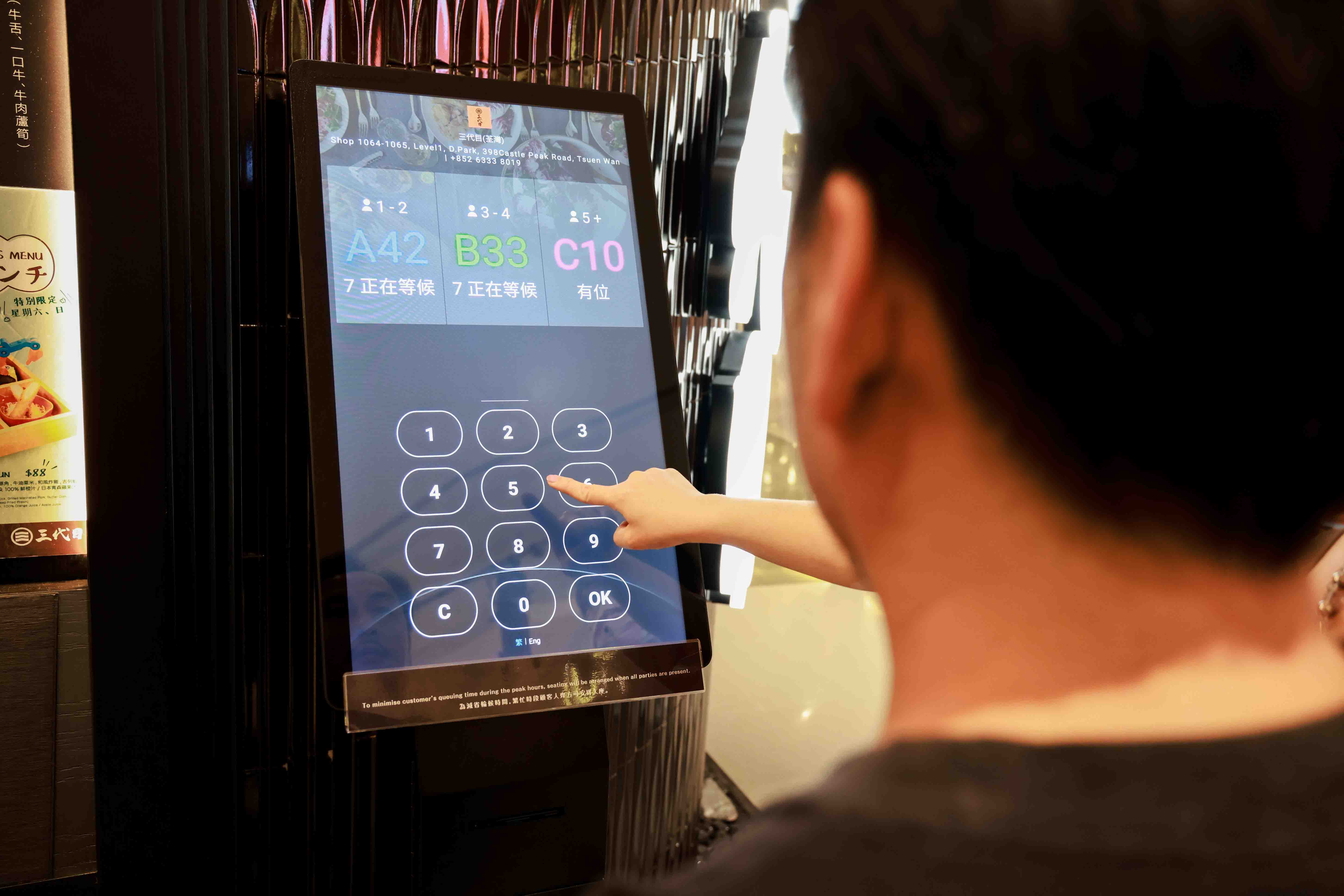
 顾客可以自助索取排队票
简易兩、三下操作就完成排队取票
可根据用餐人数设定不同票号
顾客可以自助索取排队票
简易兩、三下操作就完成排队取票
可根据用餐人数设定不同票号
远端扫码,掌握排队现状
自助排队机自动列印具有 QR code的排队票券
顾客直接扫码即可用手机查看排队现状
有效减少不必要的排队人潮
与其他 吃饱宝 模组完美整合

直接操作 POS 机进行入座叫号
排队显示器自动更新并显示过号与等待号码
自助排队机资讯自动与其他模组进行同步
云端科技支援的自动化流程节省时间,简化琐碎、重复性高的事项
干净介面,减少错误
适合所有人使用的简单介面
清楚指引协助快速取票
自助取票
顾客可以自助索取排队票
简易兩、三下操作就完成排队取票
可根据用餐人数设定不同票号
远端扫码,掌握排队现状
自助排队机自动列印具有 QR code的排队票券
顾客直接扫码即可用手机查看排队现状
有效减少不必要的排队人潮
与其他 吃饱宝 模组完美整合
直接操作 POS 机进行入座叫号
排队显示器自动更新并显示过号与等待号码
自助排队机资讯自动与其他模组进行同步
云端科技支援的自动化流程节省时间,简化琐碎、重复性高的事项
干净介面,减少错误
适合所有人使用的简单介面
清楚指引协助快速取票


「自助排隊機」包含在以下解決方案之內